Account
SMS Notification Settings
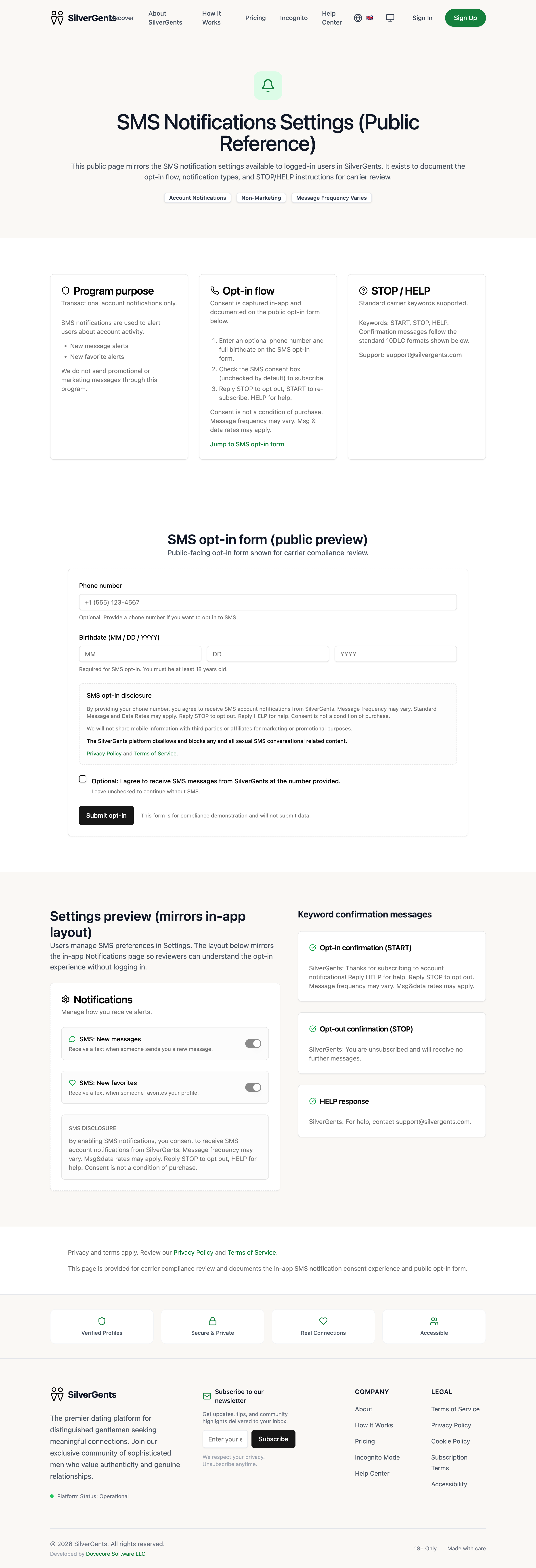
This public page mirrors the SMS notification settings available to logged-in users in PairWell. It exists to document the opt-in flow, notification types, and STOP/HELP instructions for carrier review.
SMS Notifications Settings (Public Reference)



AI-generated images
SMS notifications are used to alert users about account activity.
- New message alerts
- New favorite alerts
We do not send promotional or marketing messages through this program.
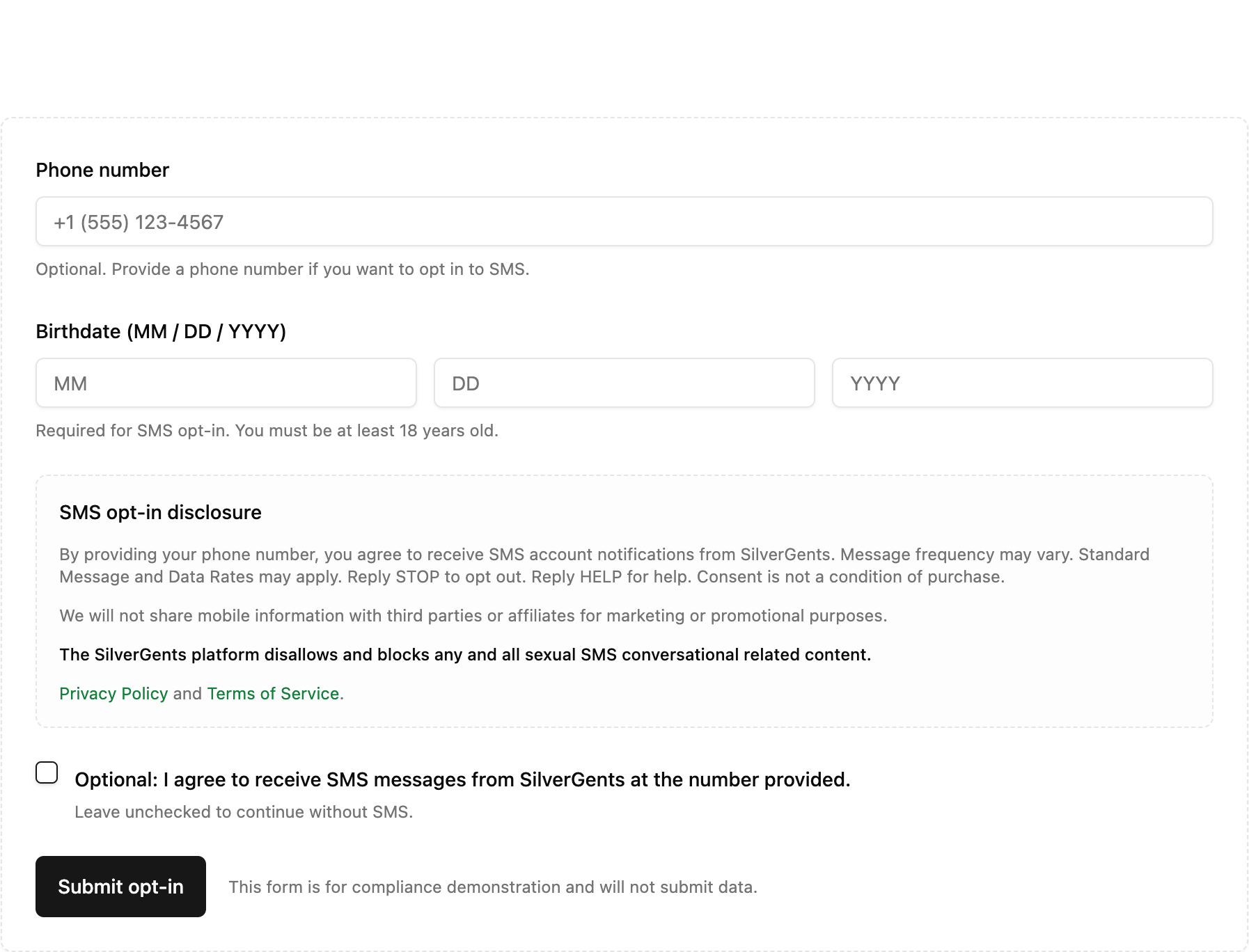
- Enter an optional phone number and full birthdate on the SMS opt-in form.
- Check the SMS consent box (unchecked by default) to subscribe.
- Reply STOP to opt out, START to re-subscribe, HELP for help.
Consent is not a condition of purchase. Message frequency may vary. Msg & data rates may apply.
Jump to SMS opt-in formKeywords: START, STOP, HELP. Confirmation messages follow the standard 10DLC formats shown below.
Support: [email protected]
SMS opt-in form (public preview)
Public-facing opt-in form shown for carrier compliance review.
Settings preview (mirrors in-app layout)
Users manage SMS preferences in Settings. The layout below mirrors the in-app Notifications page so reviewers can understand the opt-in experience without logging in.
Receive a text when someone sends you a new message.
Receive a text when someone favorites your profile.
By enabling SMS notifications, you consent to receive SMS account notifications from PairWell. Message frequency may vary. Msg&data rates may apply. Reply STOP to opt out, HELP for help. Consent is not a condition of purchase.
Keyword confirmation messages
Privacy and terms apply. Review our Privacy Policy and Terms of Service.
This page is provided for carrier compliance review and documents the in-app SMS notification consent experience and public opt-in form.